Shapefile to Geodatabase
In converting a shapefile into a geodatabase you will be using an ArcGIS Pro Geoprocessing Tool.
Feature Class To Geodatabase Conversion Tool
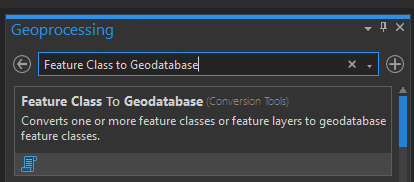
1. Go to Geoprocessing Toolbox and search for Feature Class To Geodatabase.
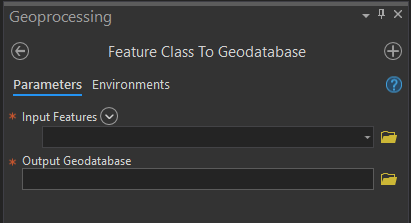
2. By default, there are only two parameters that we need to provide in coverting your shapefile into a geodatabase; Input Feature(The shapefile we are converting, navigate the file by clicking the folder icon on the right) and Output Geodatabase(Geodatabase file where we are saving the shapefile)
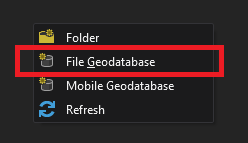
If there are no existing gdb folder. You can create a new one, right-click then select file geodatabase
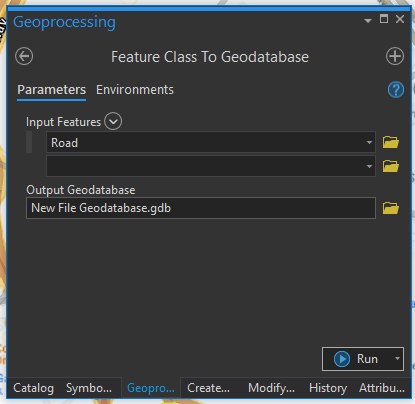
3. Once done, click Run
4. If everything went right, you will see a message prompt stating that the conversion process is successfull. Congratulations on your first shapefile to gdb conversion